


Prescriptions
Frequently Asked Questions
How do I view my pharmacy order status?
Select Medications from the main menu, then select Track Orders. There, you can view the status of your prescription orders from participating pharmacies and see additional order details.
How do I view my prescription history?
Select Medications from the main menu, then select Refill and manage to view prescriptions from participating pharmacies. Select a prescription to view details, including prescription history and previous fills when available.
How do I change my pickup location?
Select Medications from the main menu, then select Refill and manage. Select the Options menu on eligible prescriptions or open the prescription you'd like to update and select the option to change your pickup location.
You’ll also see the option to select Change pickup location on the order details page. Available pickup locations will be displayed during the process.
How do I request prescription delivery?
You can request delivery for your eligible prescriptions when they’re ready for pickup. Select Medications from the main menu, then select Track Orders. Select the Options menu on the prescription you want to have delivered. Choose Get it delivered. You’ll also see the option to select Get it delivered on the order details page.
What should I do if I can't find my order?
Select Medications from the main menu, then select Track Orders and review any available filters to make sure you're viewing the correct orders. Pharmacy orders will only appear when you connect your accounts with participating pharmacies with Health100.
How do I add my prescriptions to Health100™?
Under the Medications section in the menu select Transfer Prescriptions and follow the prompts to connect your prescriptions from participating pharmacies. You may be asked to provide information such as your name, date of birth, phone number or information from your prescription label on your pill bottle to help locate your records.
Once connected, you'll be able to view and manage eligible prescriptions with participating pharmacies through Health100.
How do I connect my prescriptions to my account?
Sign in and follow the prompts to connect your pharmacy information. Health100 will use your verified information to find eligible prescription records
What’s new
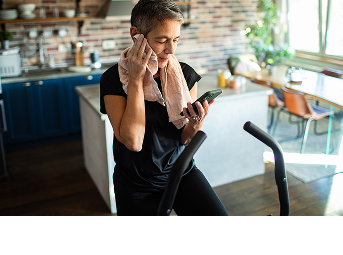
Your always-on personal AI health assistant
Read moreMeet Haio™, your new proactive AI health assistant in Health100™
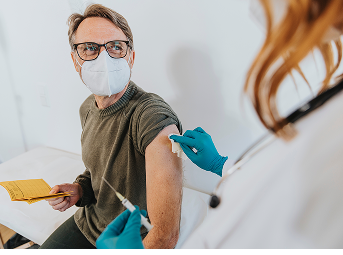
Beat the rush this Flu season
Read moreMaking it easier to stay on top of your health and those you care for.

Your Health100™ Personal Health Record
Read moreSee the full picture of your health by connecting your health records and data.